revaive
An AI-powered clinical tool that helps nurses detect and monitor postoperative delirium in surgical patients.
- Role
- Front-end Dev, ML Engineer & UI/UX Designer
- Team Members
- Joyanne Ma, Norah Njonjo, Camila Rojas
- Project Length
- 3 weeks
- Tools
- Figma, HTML/CSS, Tailwind CSS, Next.js
Overview
Revaive is an AI-powered clinical tool designed to help nurses detect and monitor Postoperative Delirium (POD) in surgical patients. POD affects many ICU patients and is consistently missed due to a lack of systematic tracking tools. Revaive addresses this gap with two ML models and a real-time nurse dashboard.
The platform serves two distinct users:
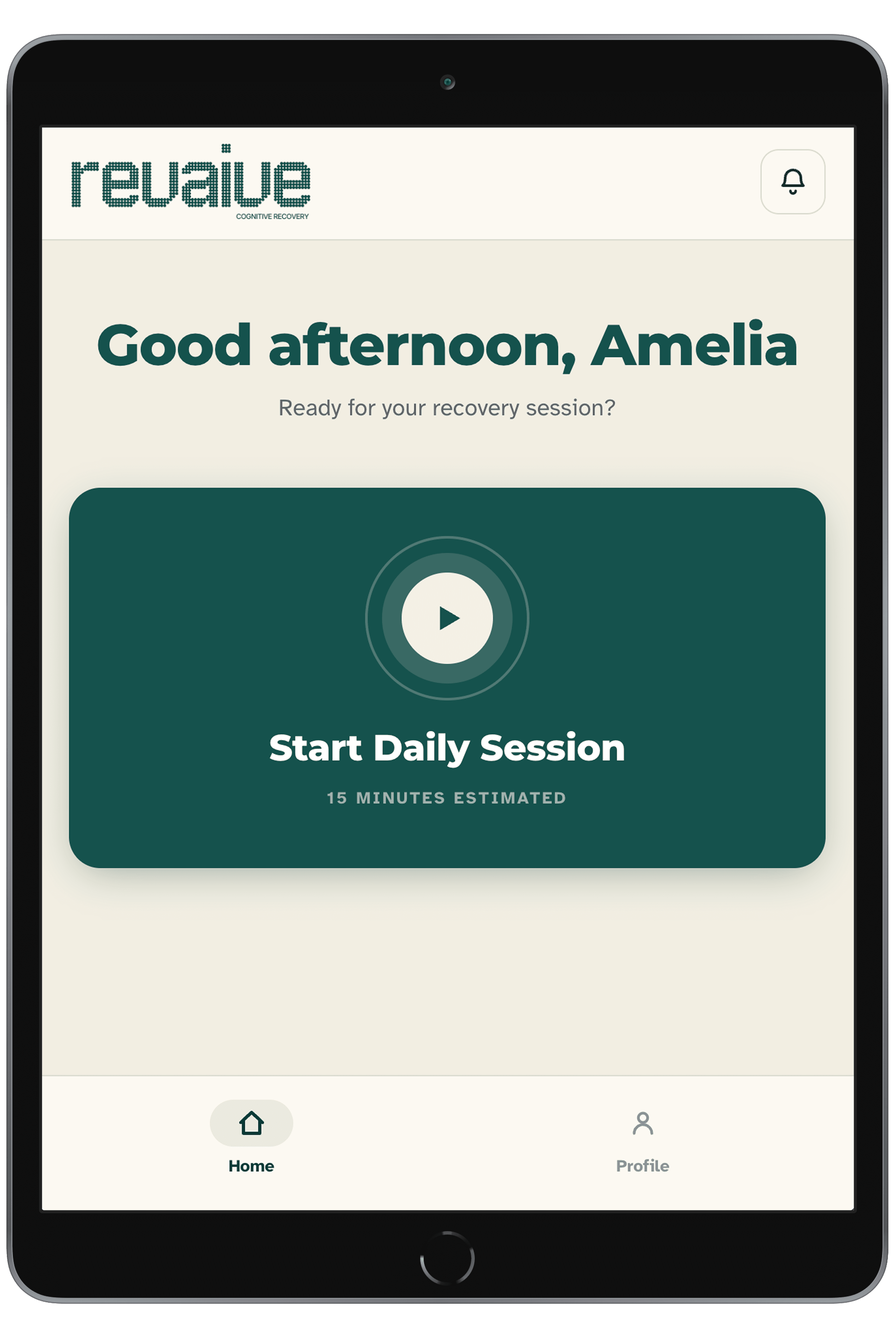
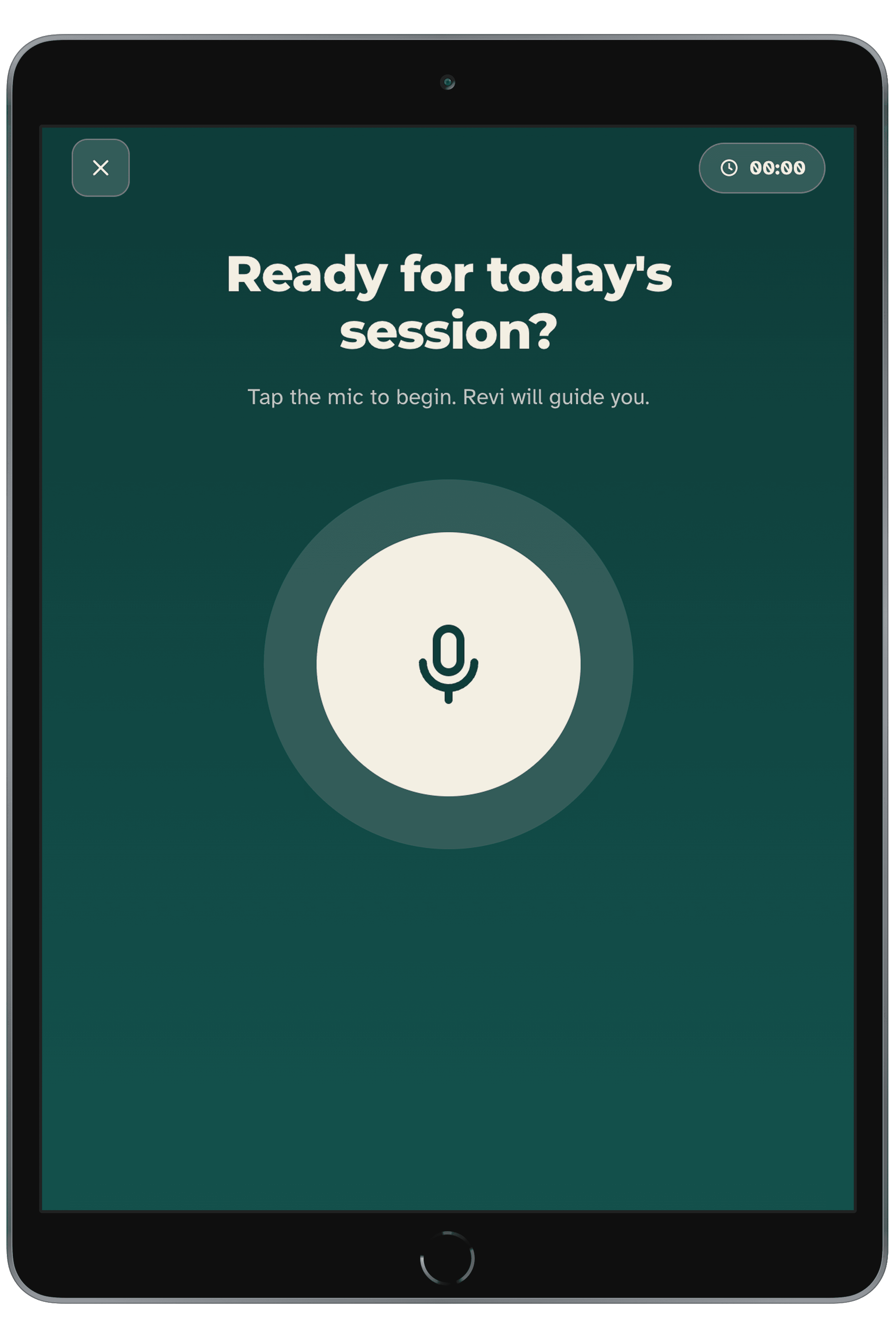
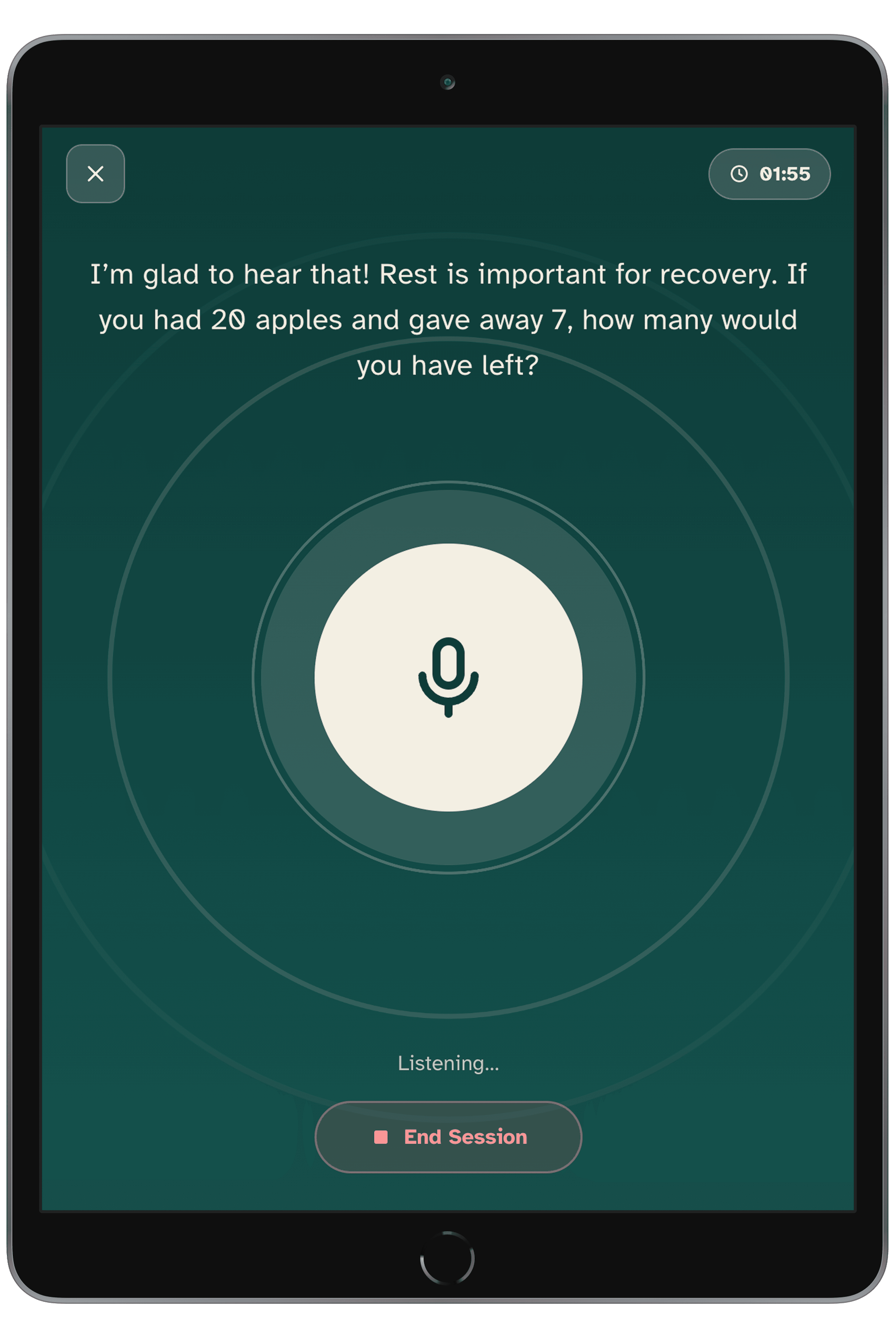
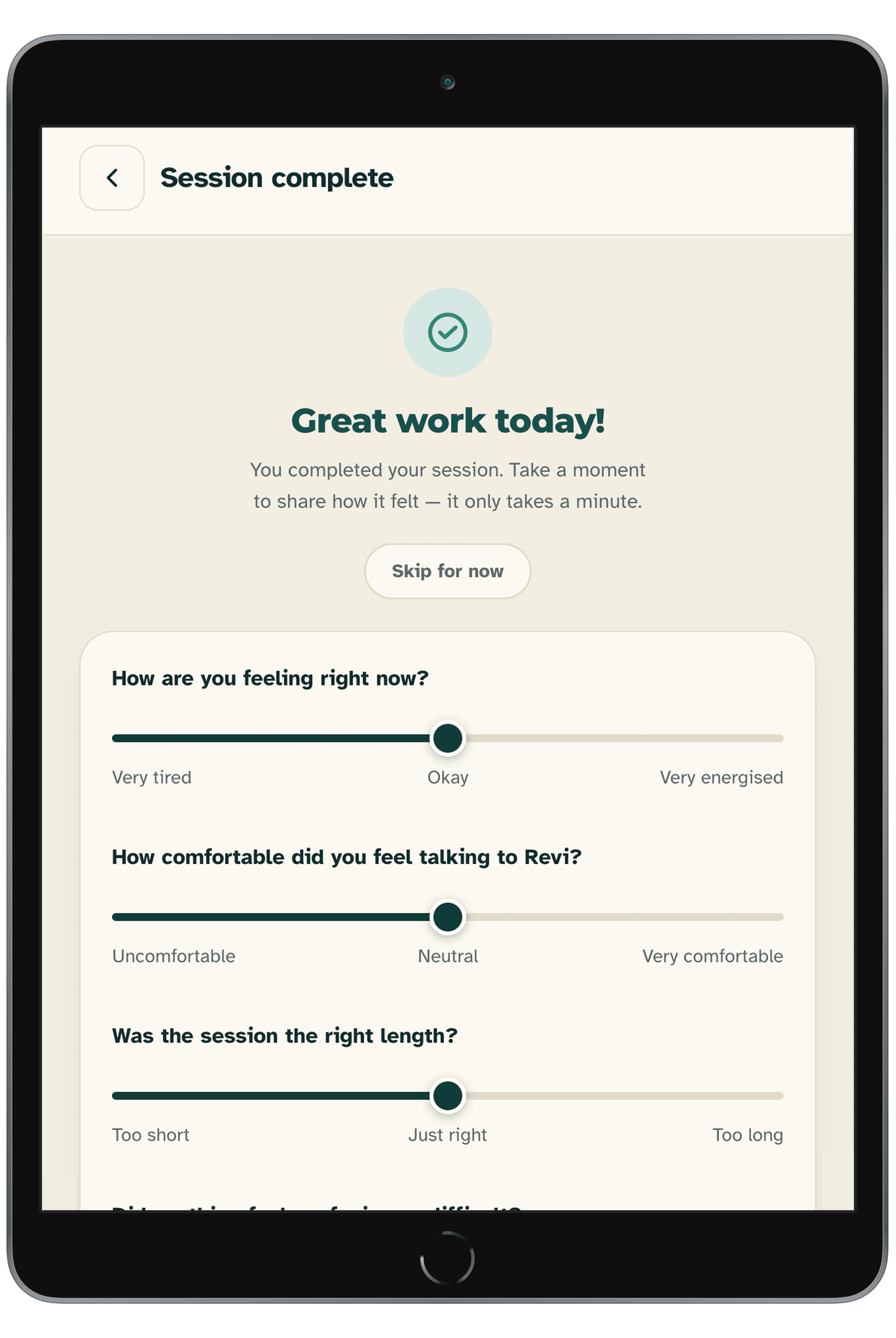
- Patients — when administered by a nurse, patients interact with an AI chatbot that delivers Cognitive Stimulation Therapy (CST) sessions.
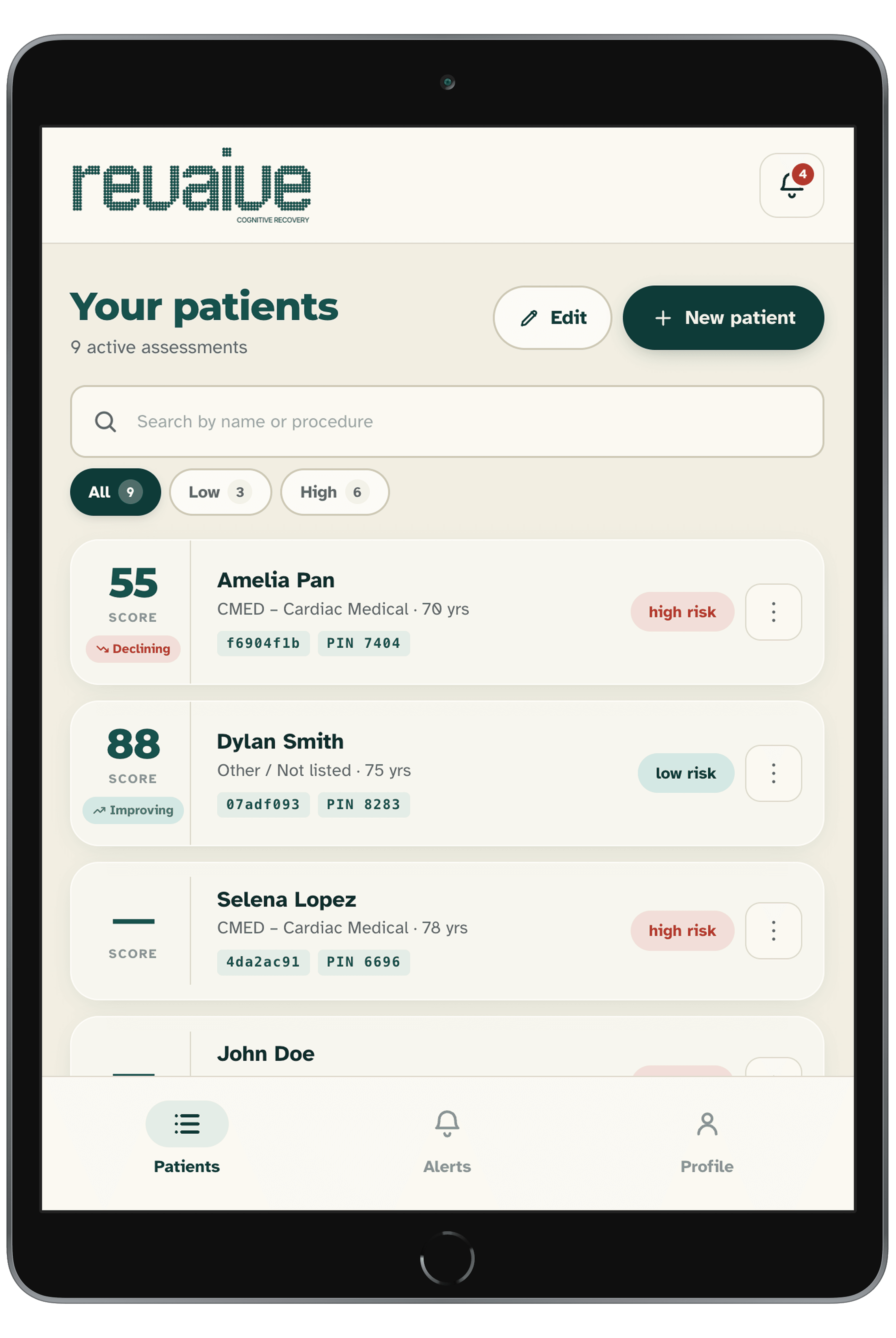
- Medical Staff — nurses utilize a clinical dashboard to monitor patients and receive AI-driven predictive insights about their care.
The core challenge of this project was ensuring both interfaces fostered trust — making therapy accessible for patients while keeping nurses in the loop with the AI's predictions.
The Problem
While the patient-facing CST chatbot was fully scoped and included a post-session feedback loop for patients, our initial clinical dashboard for nurses had a major flaw.
The dashboard successfully displayed the AI's predictive data to nurses, but healthcare professionals cannot blindly trust an algorithm.
The Challenge: How do we empower nurses to validate these AI predictions efficiently without adding friction to their high-stress workflows?
My Role
Full-stack contributor spanning ML, data, and frontend. Worked across the entire product — from training and evaluating machine learning models and processing clinical datasets, to designing and building the nurse-facing dashboard and tablet UI.
Nurse Dashboard
Patient Dashboard
Contextual Inquiry: Inside the Neuro Ward
To validate our initial assumptions and understand the reality of Post-Operative Delirium (POD), we conducted a contextual inquiry at a local neurological hospital. We interviewed bedside nurses and assistant nurse managers (with 15+ years of experience) in the neurosurgery and stroke unit.
Our goal was to observe their current workflows — which heavily relied on manual checkboxes and whiteboards — and see how they interacted with our initial AI prototypes.
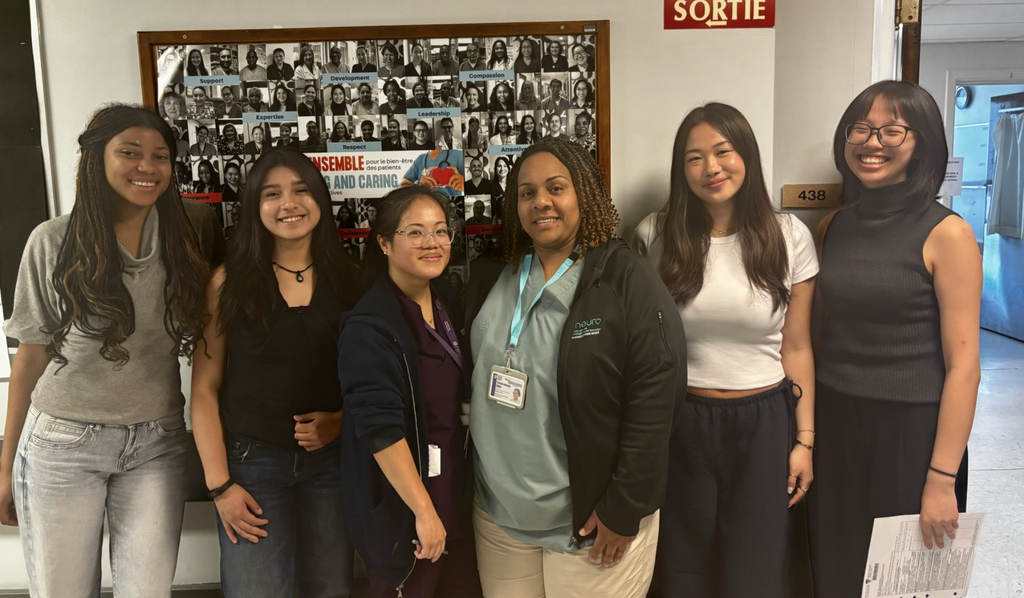
Our team at the hospital, interviewing nurses in the neurosurgery and stroke unit
Key Insights & Design Pivots
The feedback from the hospital reshaped both our clinical and patient-facing interfaces:
Insight 1: "A score alone isn't enough. Tell us what to do with it."
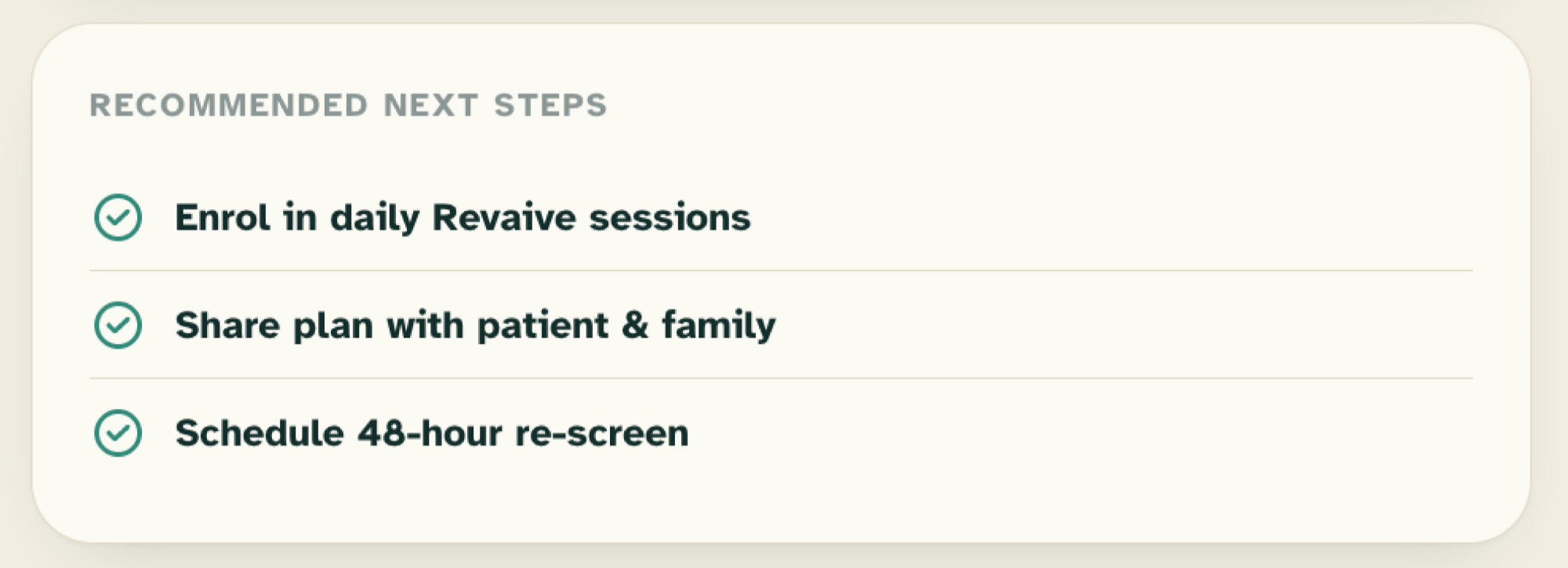
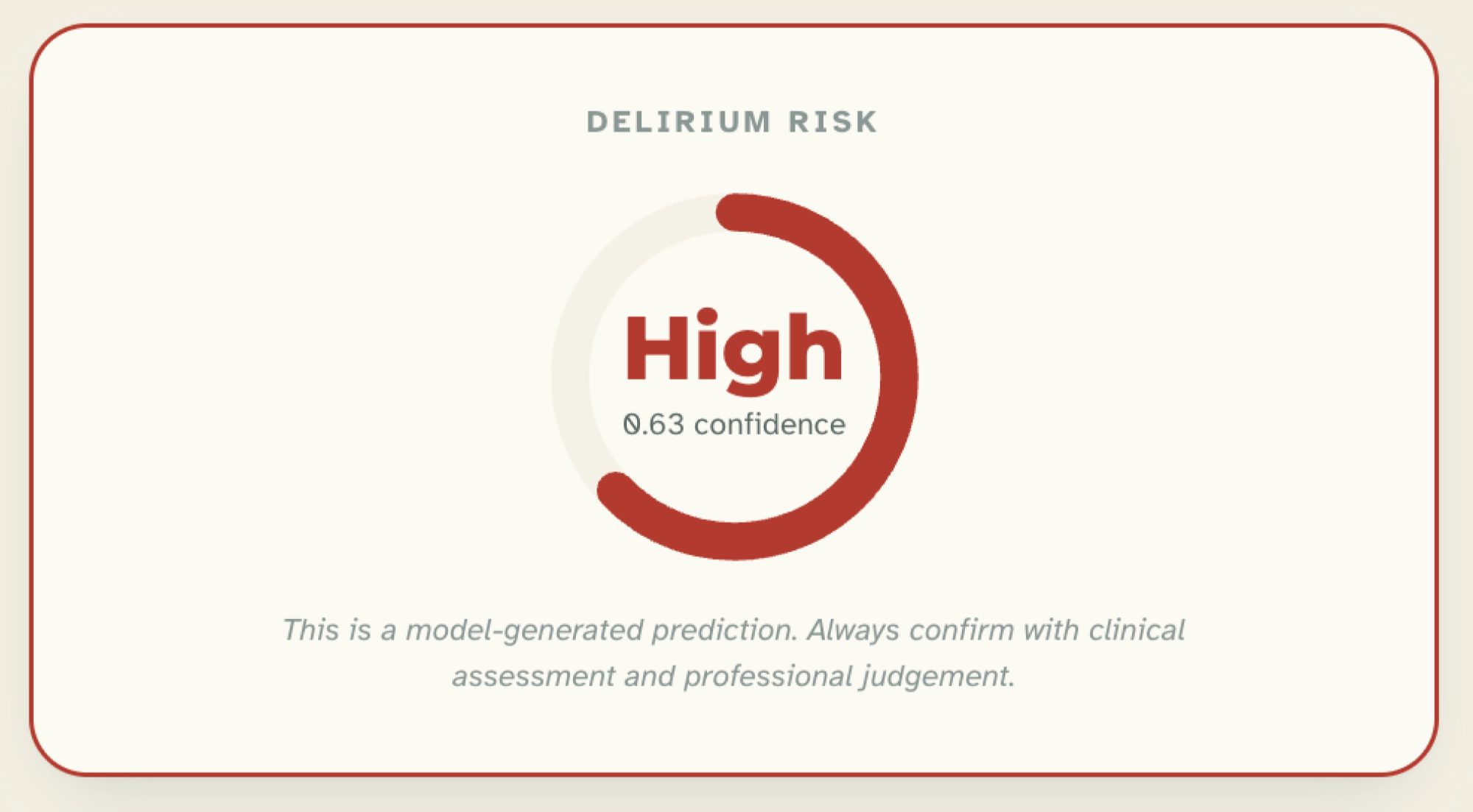
- The Reality: nurses noted that an AI predicting an "85% risk of POD" was useless without context — they needed visual thresholds (is this safe? is this critical?) and immediate next steps.
- The Design Pivot: we updated the clinical dashboard. Instead of just displaying a raw cognitive score, we paired it with actionable interventions — automated prompts like "Schedule Rescreen" or "Share care plan with family."
Insight 2: Avoiding Over-Reliance
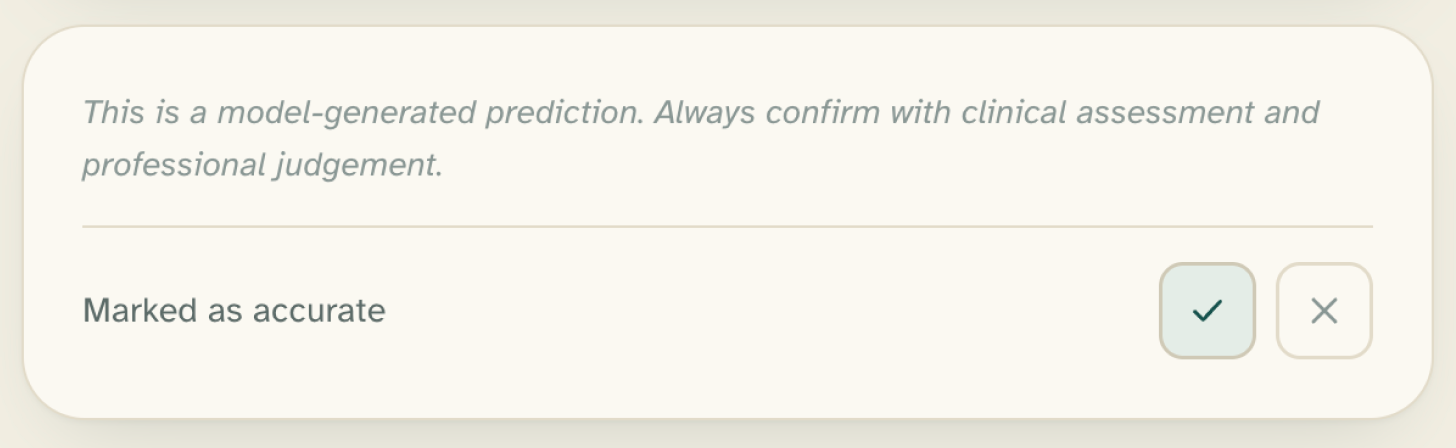
- The Reality: nurses were optimistic about AI reducing their manual workload, but emphasized that "the human must remain in surveillance."
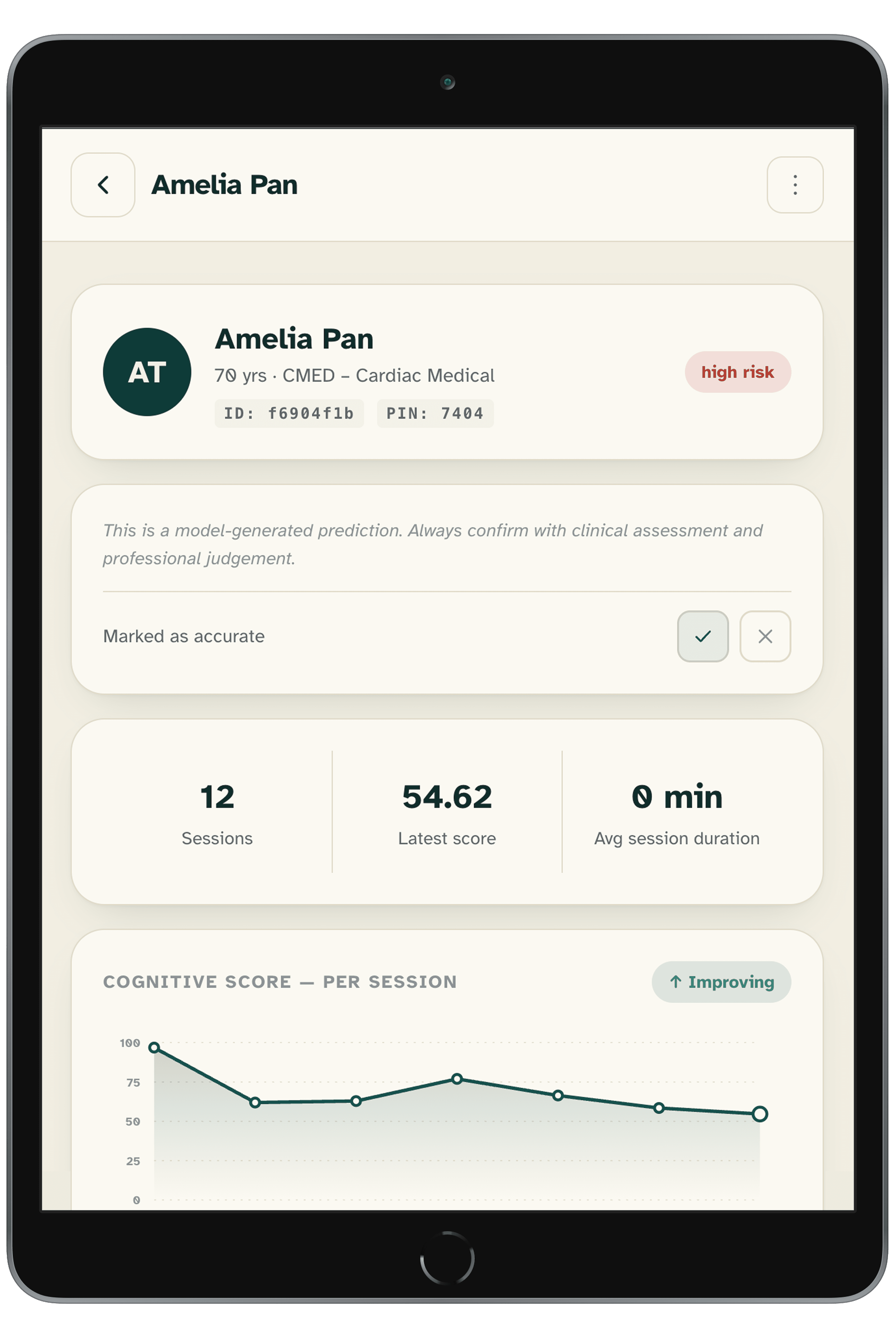
- The Design Pivot: we pivoted to a human-in-the-loop system, giving nurses the final say over the algorithm by adding a quick feedback option to mark predictions as accurate or not.
Insight 3: Designing for Aphasia and Cognitive Limits
- The Reality: we initially designed the patient-facing CST tool to rely heavily on voice interaction. But nurses pointed out that stroke and neuro-trauma patients often suffer from aphasia (inability to speak) or severe confusion.
- The Design Pivot: going forward, we plan to add large, tap-friendly Yes/No targets, alternate input methods (e.g. a camera to detect actions), a persistent physical Help button (not just voice-activated), and flexible exit logic.
The Design System
Because we built this entire platform from scratch — user research, ideation, backend infrastructure, and ML fine-tuning — within a 2-week timeline, we had to be efficient.
I needed to establish a scalable design system so the frontend developers could work in parallel, but I didn't have weeks to manually build documentation.
Leveraging Claude for Foundational Tokens
To accelerate the process, I used Claude as a collaborative systems partner. I gave it our core brand requirements, accessibility constraints, and component needs, and used it to help generate our foundational architecture:
- Figma Variables & Styles — rapidly generating the mathematical scales for our typography, spacing, and primitive color tokens
- Semantic Naming — a logical naming convention that bridged the gap between the Figma files and the developers' CSS
- Initial Documentation — drafting the baseline component guidelines and usage rules
By using AI to do the heavy lifting of the initial token math and documentation, I saved days of manual work. This gave us a documented style guide on day three of the project, which we're continuing to refine as the platform scales.
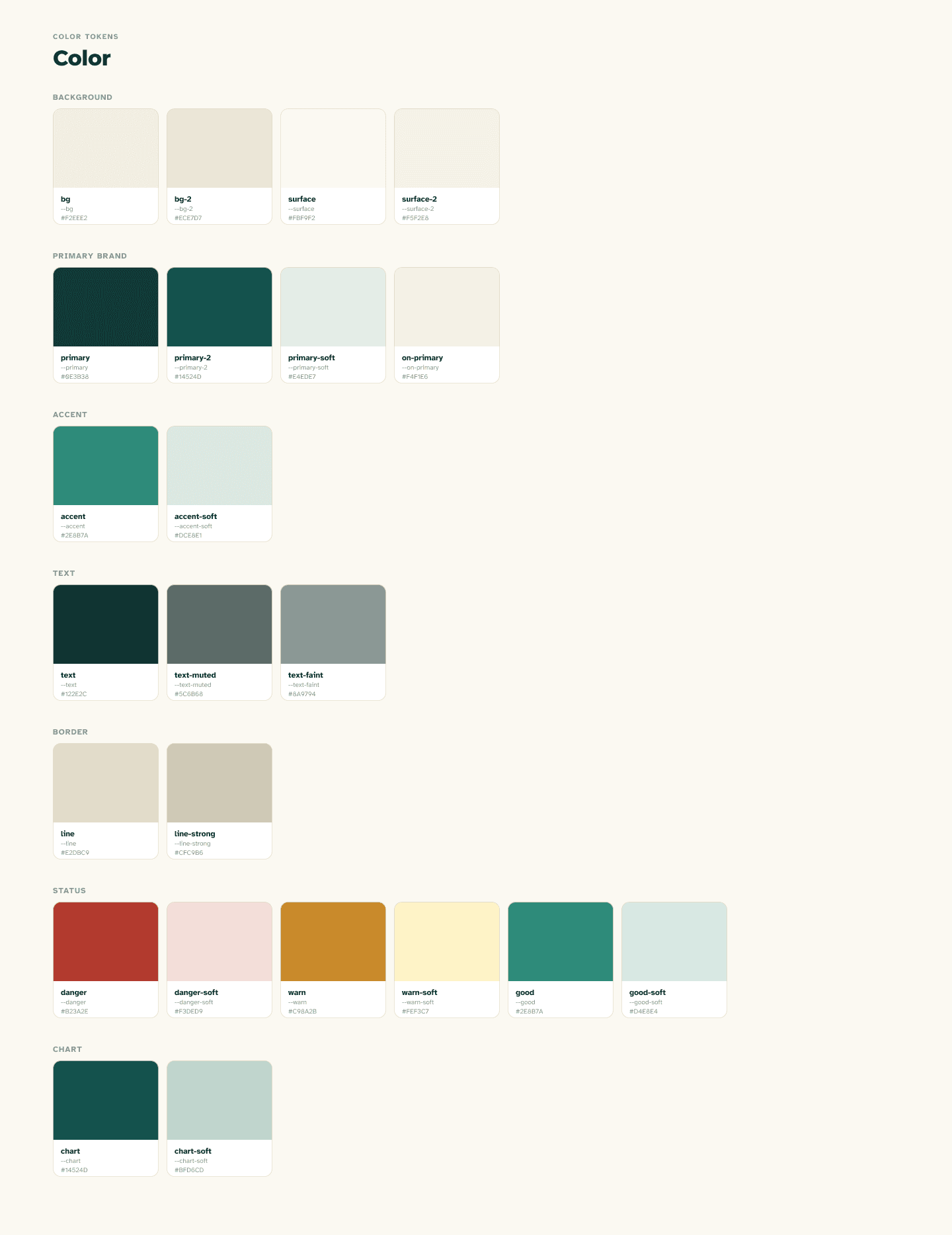
Color tokens for the Revaive design system
What It Does
Nurses admit a patient by filling out a short intake form. A risk model instantly returns a High / Low delirium risk label. Each day, the patient completes a short voice session on a bedside tablet — an AI companion guides the conversation, and the system scores their cognitive state from 0–100. The dashboard updates after every session, surfacing trends and flagging patients who need attention.
Key Features
- Nurse dashboard — patient list with live risk badges, daily cognitive scores, and trend indicators
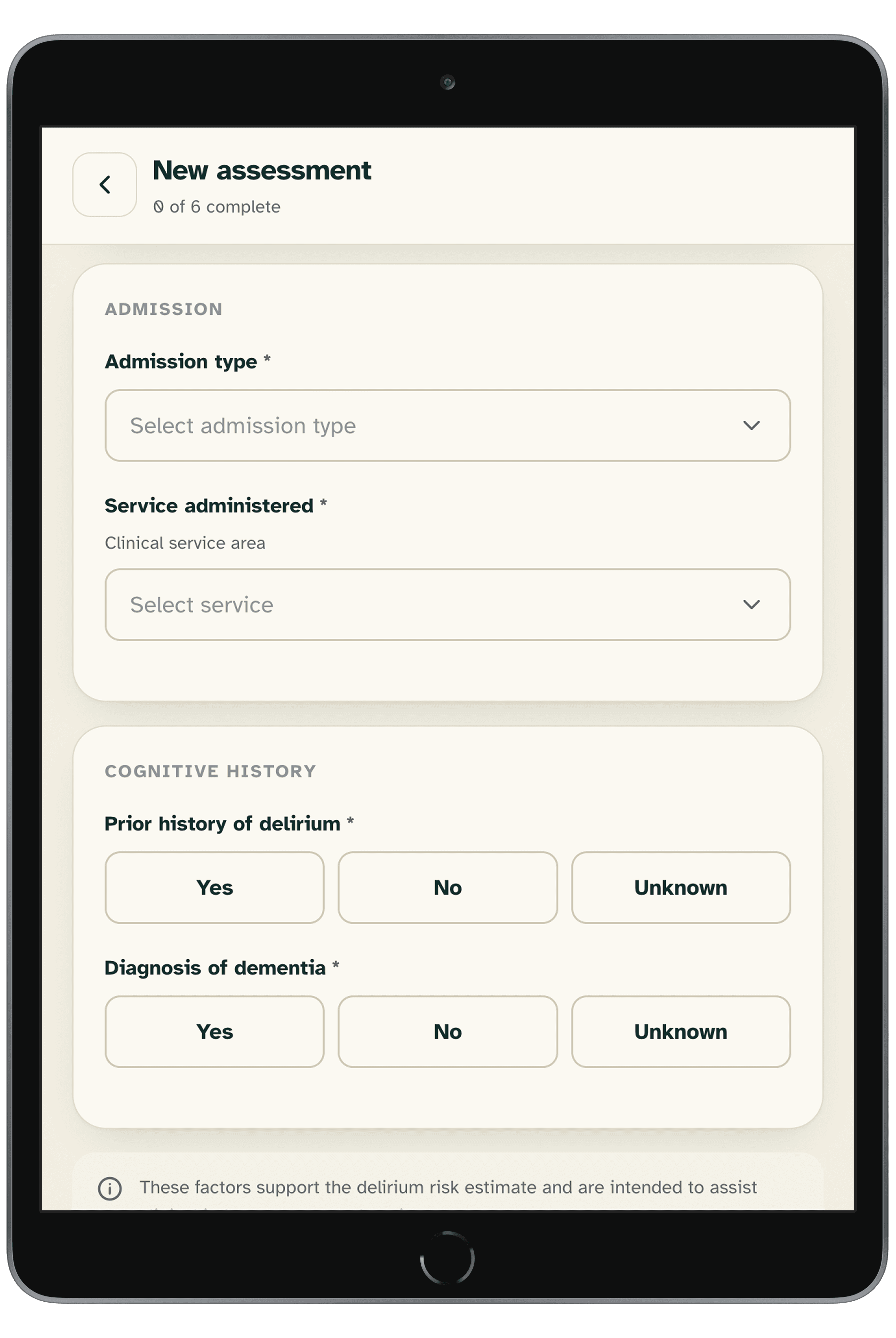
- Patient intake form — 6 fields that trigger the risk prediction model on submission
- Score trend graph — line chart of daily cognitive scores per patient
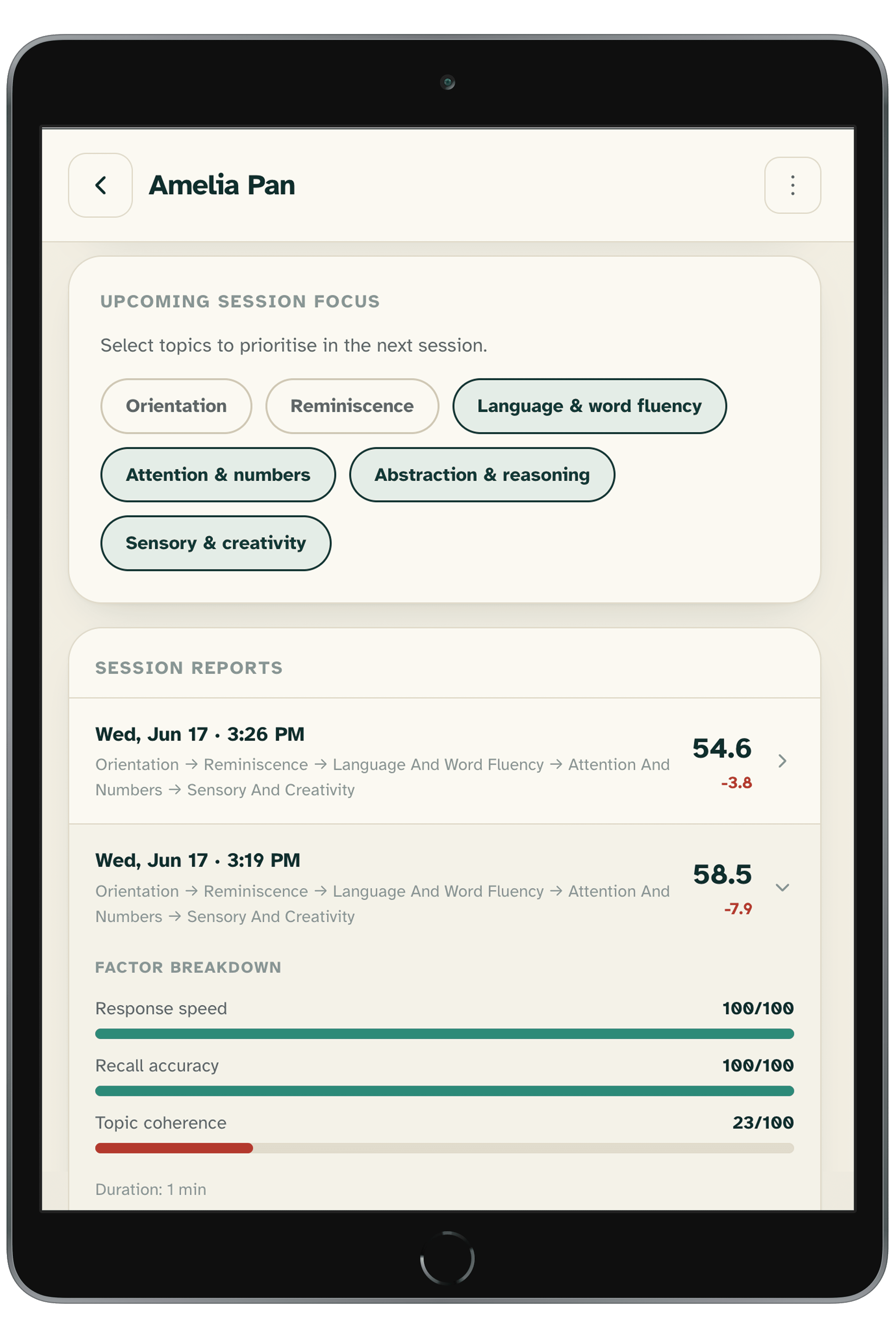
- Patient detail view — full risk breakdown, session history, transcript excerpt, and auto-generated care recommendation
- Escalation flags — automatic alerts when a patient's score drops significantly
- Tablet UI — one-button voice session interface designed for bedside use
ML & Data
- Trained and evaluated a risk classification model on structured patient intake data, predicting High / Low delirium risk
- Processed and engineered features from clinical datasets (MIMIC-IV)
Tech Stack
Machine Learning & Data Processing (Python) scikit-learn (Random Forest classifier for POD risk prediction) · sentence-transformers, spaCy, NLTK (NLP pipeline for cognitive scoring) · pandas, NumPy (data wrangling and feature engineering) · Matplotlib, seaborn (exploratory data analysis and visualization)
Backend FastAPI + Uvicorn (REST API and voice session endpoints) · OpenAI Whisper + GPT-4o (speech-to-text and conversational AI) · ElevenLabs (text-to-speech for patient sessions) · Supabase (PostgreSQL database, row-level security, and authentication)
Frontend (TypeScript) Next.js + React (app router, server components, client interactivity) · Recharts (cognitive score trend charts) · Tailwind CSS (utility base, extended with custom design tokens)
Design Figma · Canva
Presentation Deck
This deck was used for our 3-minute pitch and doesn't reflect the most current version of the project.